GetPaper is a fast, self-hosted wiki for teams: a delightful Markdown editor, multiple workspaces, Microsoft sign-in and a built-in MCP server so your AI assistant can read and write your documentation.
One Docker Compose file · PostgreSQL · Your data stays on your servers
docs.acme.example
Multiple workspacesMicrosoft Entra ID SSOMCP server for AIEnglish & Italian
Everything a team wiki needs
Write, organise, find. Without friction.
A focused editor and a clean structure keep documentation alive - and the details that make admins happy are already there.
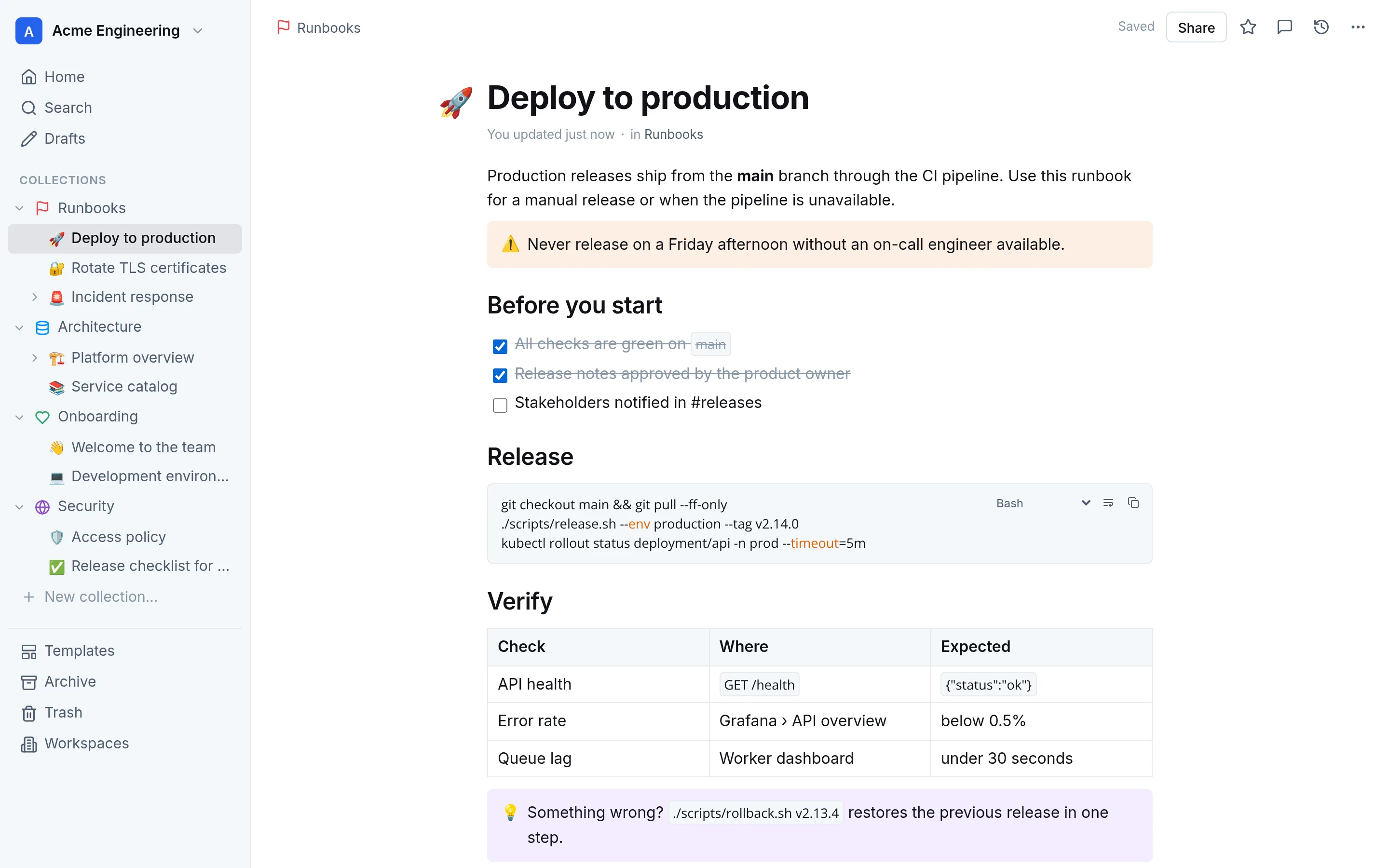
A Markdown editor you'll love
Slash commands, tables, checklists, callouts and code blocks with syntax highlighting, copy and line wrapping. Saved as plain Markdown.
Workspaces for every team
Fully isolated workspaces with their own members, roles and collections. Move pages between them in a click.
Search that finds it
Full-text search with highlighted results, filters by collection and one switch to search every workspace you belong to.
Sign-in and invitations
Microsoft Entra ID single sign-on, invite-only access and beautiful invitation emails. Admins, editors and viewers.
Data protection built in
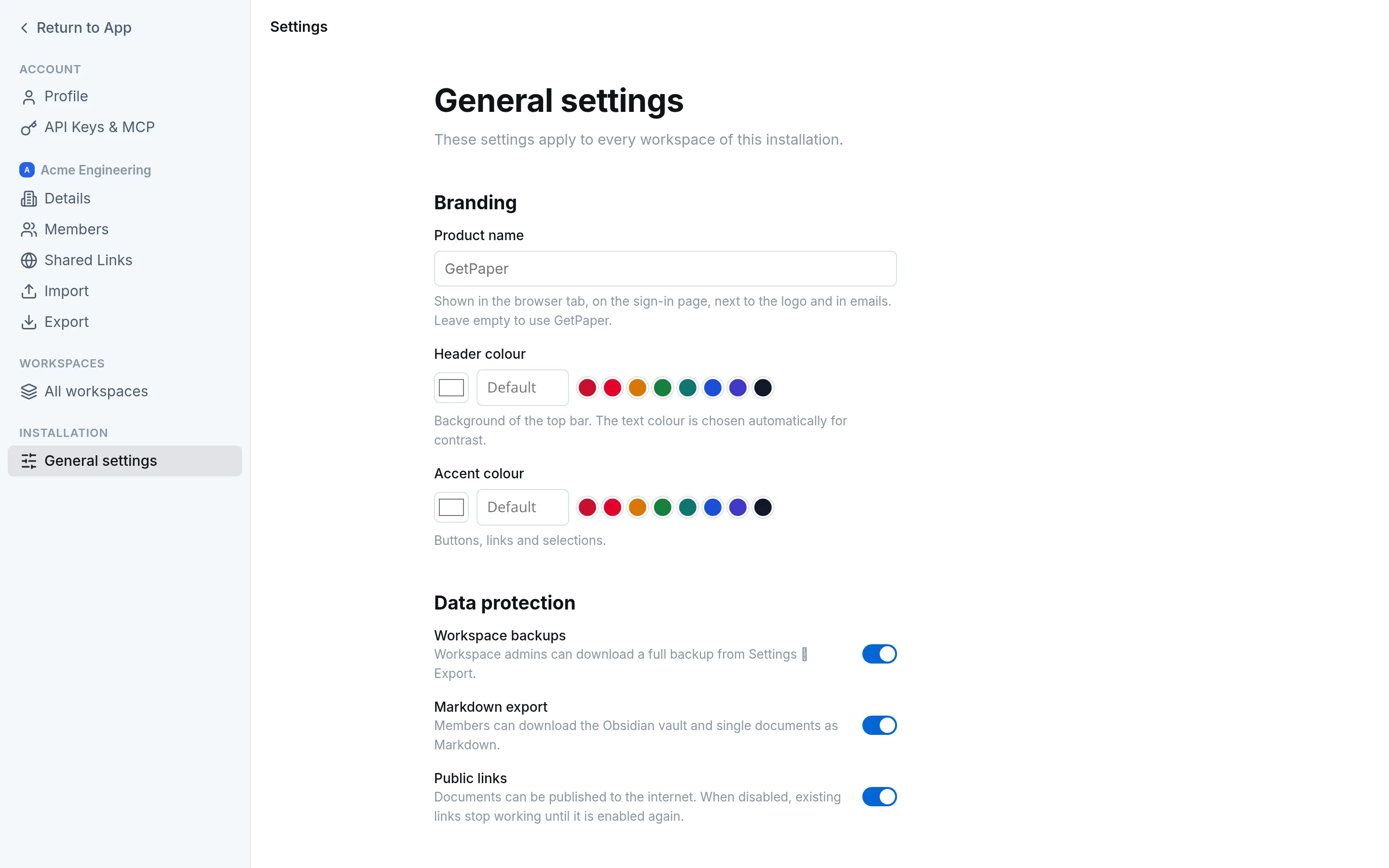
Private collections, scoped API keys and superadmin switches to turn off exports and public links installation-wide.
Make it yours
Your product name, header and accent colours, light or dark theme, English or Italian - per user, with installation defaults.
AI ready
Your docs, available to your AI assistant.
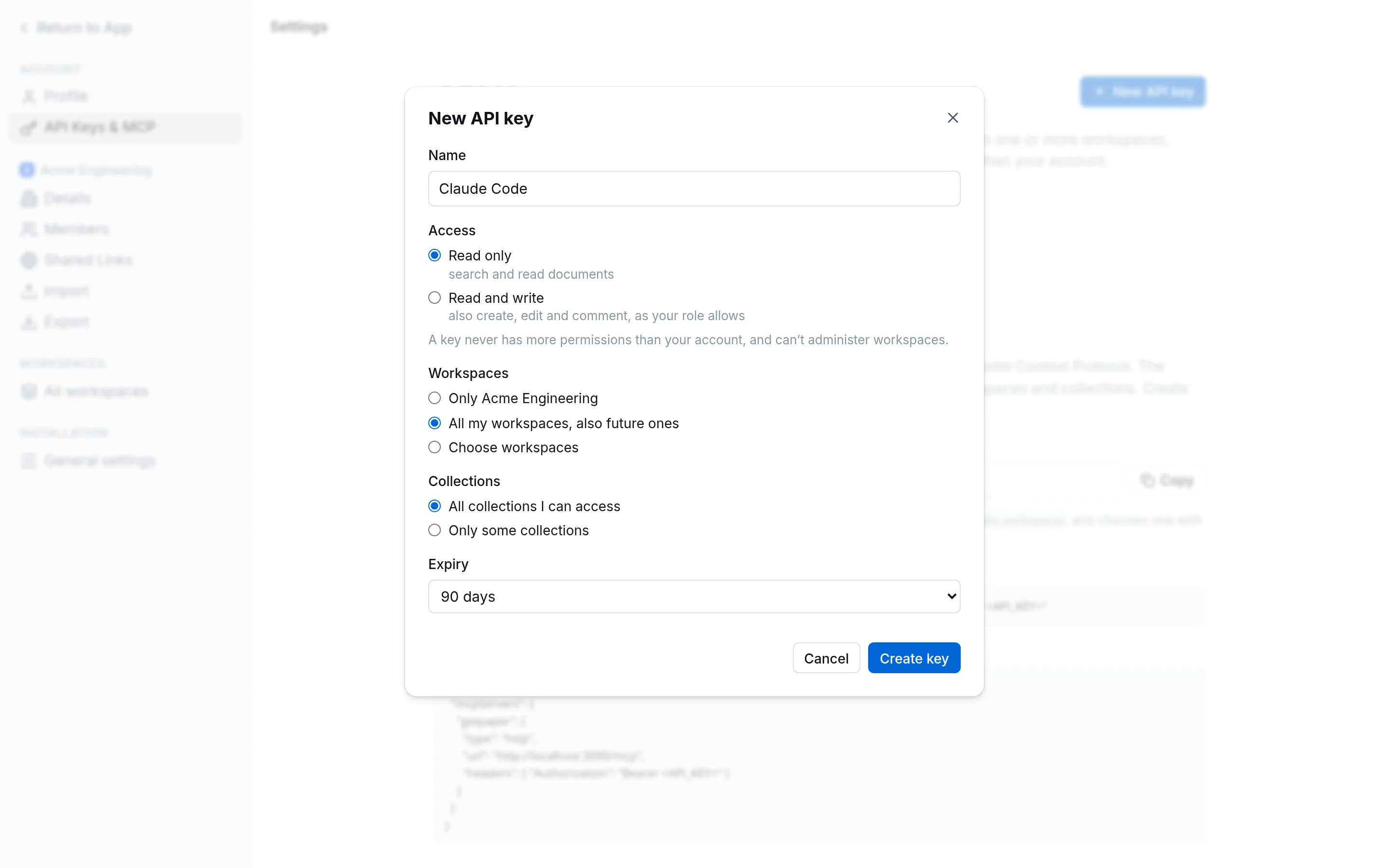
GetPaper ships a Model Context Protocol server. Connect Claude, Cursor or any MCP client and let it search, read and write documentation - always within the limits you choose.
Read-only or read/write keys, with an expiry date
One key for several workspaces, or only the collections you pick
Never more permissions than the person who created the key
# one command, and your assistant knows your wikiclaude mcp add --transport http getpaper \
https://docs.acme.example/mcp \
--header "Authorization: Bearer ol_api_…"
Across workspaces
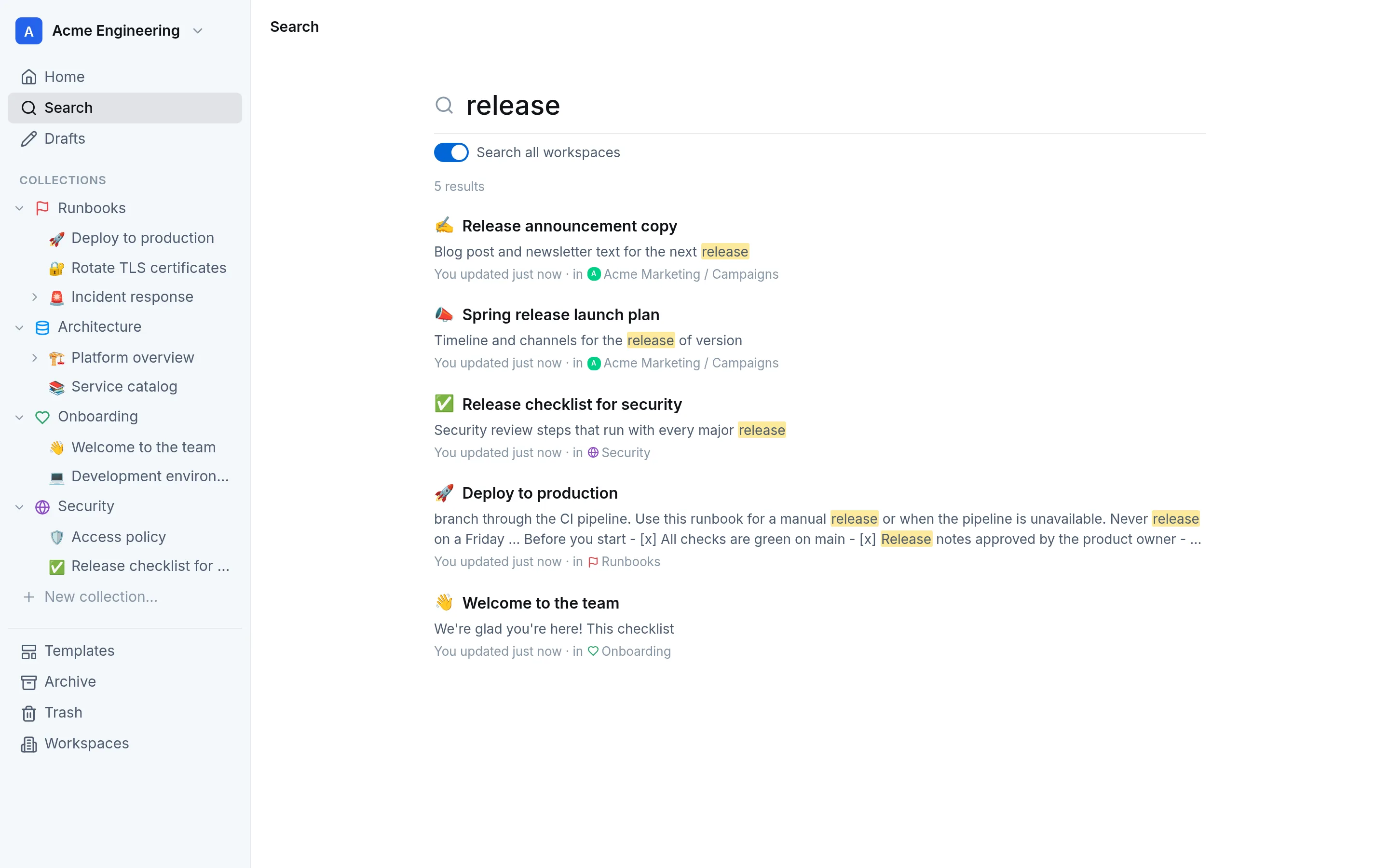
One search box for the whole company.
Engineering runbooks, marketing plans, HR policies: search everything you have access to and jump straight into the right workspace.
Ranked full-text results with highlighted matches
Permissions respected in every workspace
Bring your content
Leave Confluence behind - keep everything else.
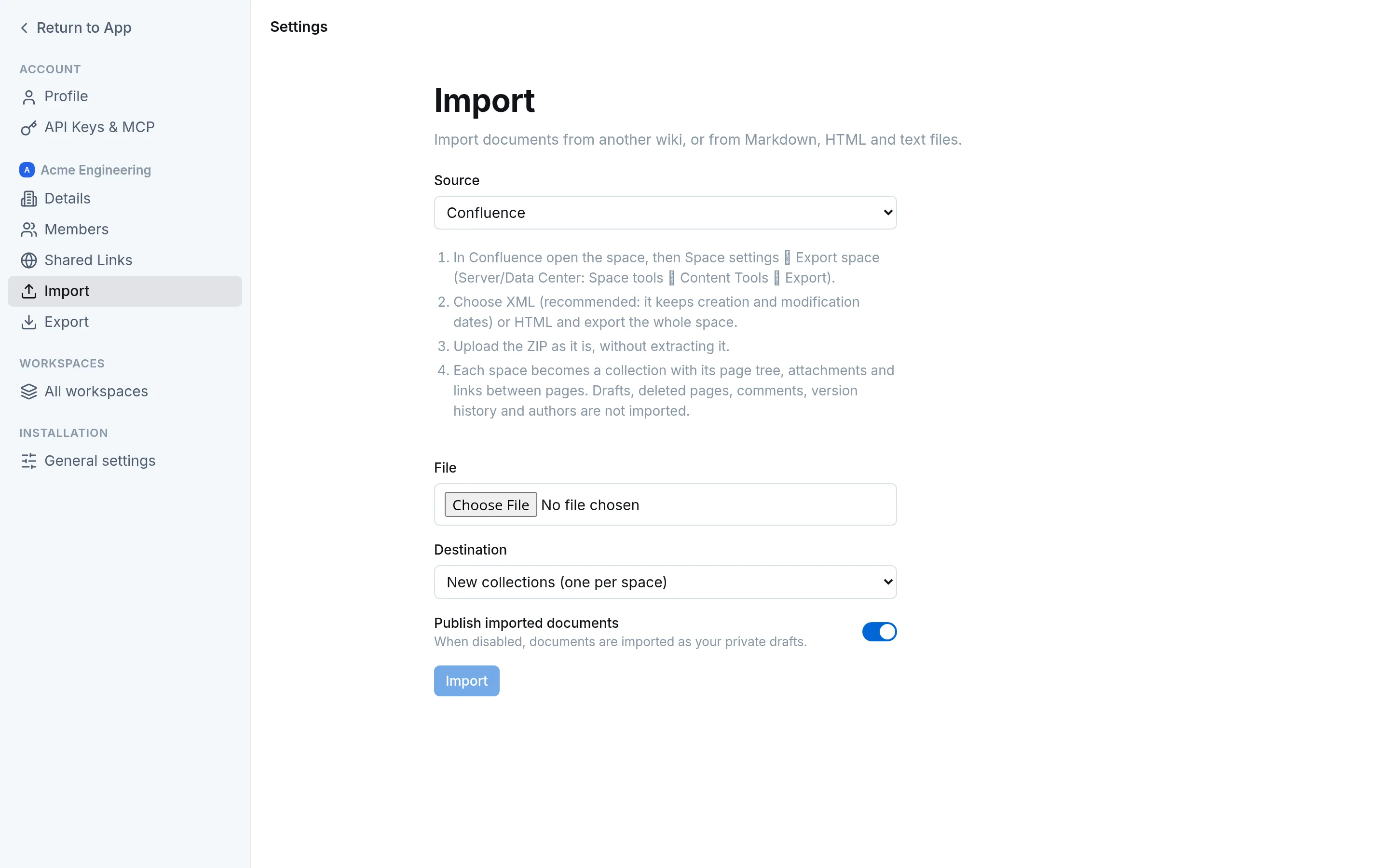
Import Confluence spaces (XML or HTML exports) with page tree, dates, attachments and macros. Outline, Notion, Obsidian and plain Markdown work too.
Info, note and warning panels become callouts; code macros keep their language
Links between pages and images are rewritten automatically
Full backups to move between instances, Obsidian vault export
For administrators
Settings that cover the whole installation.
Superadmins brand the product, decide which exports are allowed and set the defaults every new user starts with.
Custom product name and colours
Switches for backups, Markdown export and public links
Default language, theme and page width
Self-host
Up and running in three steps.
A single Docker Compose file starts GetPaper and PostgreSQL from the image on GitHub Container Registry. No external services required.
1
Download
The Compose file uses the published image (amd64 and arm64): no build needed.